How to adjust exposure?
1. Enter Camera, then press and hold the screen until Focus and exposure locked appears;
2. Slide upward from anywhere to increase the brightness, slide downward to decrease the brightness.
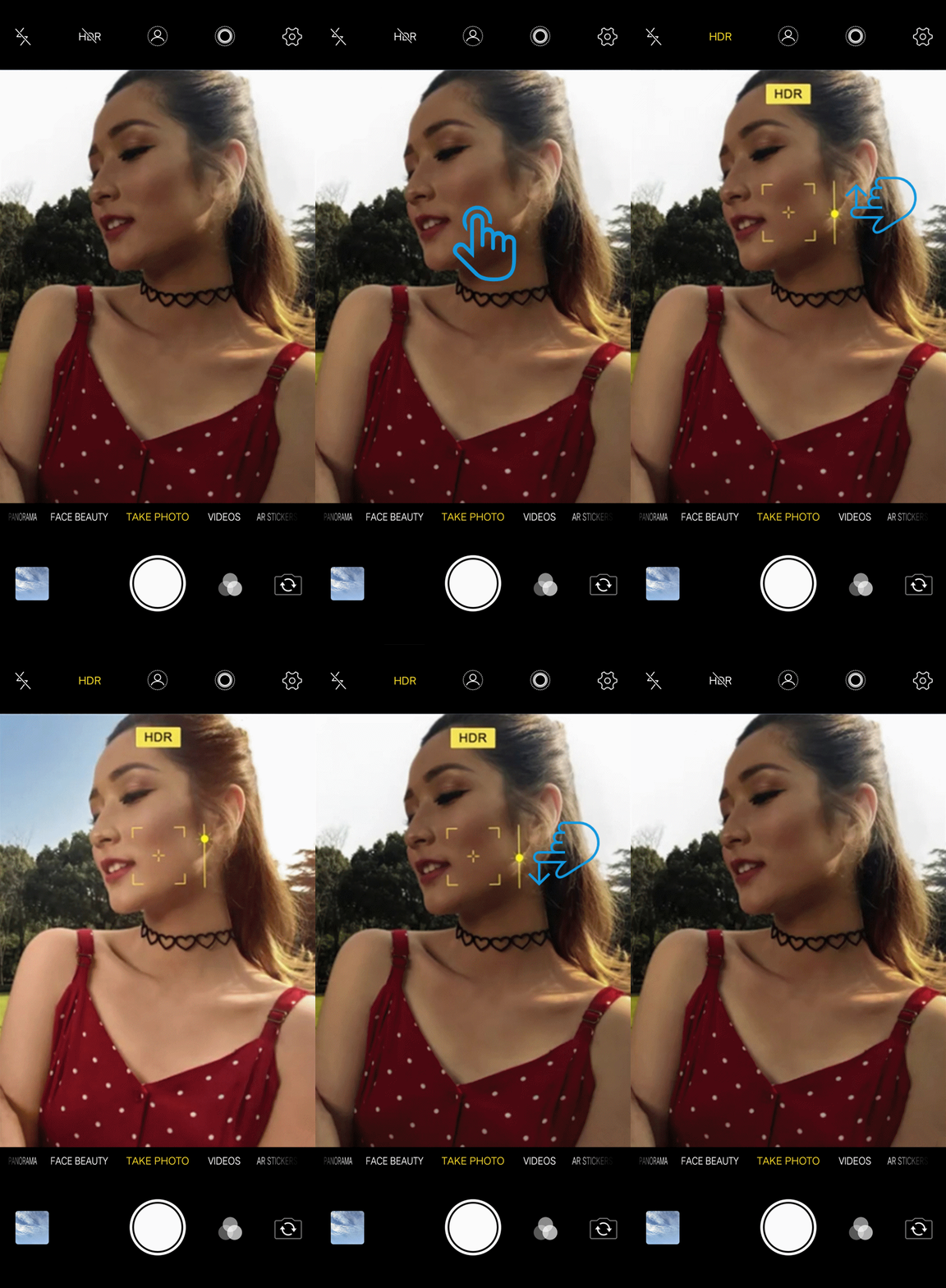

1. Enter Camera, then press and hold the screen until Focus and exposure locked appears;
2. Slide upward from anywhere to increase the brightness, slide downward to decrease the brightness.
180014810016
Mon-Sat 9:30-19:30 (except Wed 3:00 pm-4:30 pm)
(02) 8540-2043
Mon-Sat 9:30-19:30 (except Wed 3:00 pm-4:30 pm and DITO)
180014810016
Mon-Sat 9:30-19:30 (except Wed 3:00 pm-4:30 pm)
(02) 8540-2043
Follow Us
Copyright © 2022 vivo Communication Technology Co. Ltd. All rights reserved. | Privacy Policy | Privacy Terms | Warranty Terms